Mobile Patrol Management Software UK | MonitorGuard
Quick answer: Mobile patrol management software lets security companies schedule patrol officers, record check-ins, monitor lone workers and keep compliance records in one system, instead of relying on phone calls and paper. MonitorGuard does this with a mobile app for officers and a web dashboard for managers.
Mobile patrol companies face a different challenge from site-based guarding. Officers travel between locations, work alone for long stretches and often change plans at short notice. Managing that with spreadsheets, calls and paper logs is slow and error-prone.
This guide explains what mobile patrol management involves, what to look for in a system, and how MonitorGuard helps patrol teams stay organised, safe and accountable.
Why is managing a mobile patrol team so difficult?
Patrol work breaks the assumptions most workforce tools are built on. A manager cannot simply walk the floor and see who is where. The usual pain points are:
- Spread-out teams. Officers cover many sites in one shift, so attendance and timing are hard to confirm.
- Constant changes. Routes, call-outs and cover requests change during the night, and the rota is out of date within hours.
- Lone working. Officers often work alone, so managers need to know they are safe and able to raise an alarm.
- Compliance records. Working hours, breaks, licences and site requirements all need to be tracked and provable.
- Client expectations. Clients want evidence that patrols happened, not just a promise.
What is mobile patrol management software?
Mobile patrol management software is a system that helps security companies plan, track and support officers who move between sites. Officers use a mobile app to check in, report and follow instructions, while managers use a dashboard to schedule shifts, monitor activity and produce records for clients.
The aim is simple: replace chasing and guesswork with a clear, up-to-date picture of what your patrol team is doing.
What should you look for in a patrol workforce system?
When comparing options, check for these essentials:
- Shift scheduling with instant changes so rota updates reach officers straight away.
- Check-ins and attendance that confirm officers arrived where and when they should.
- Lone worker safety features that protect staff working alone.
- Compliance tracking for hours, breaks and certifications.
- Incident reporting from the field, not after the shift.
- Clear manager dashboards showing patrol activity and staff performance.
- Client reporting that proves the service you delivered.
- A simple mobile app that officers will actually use.
How does MonitorGuard support mobile patrol teams?
Scheduling and shift changes
Assign shifts, adjust routes and approve changes in one place. Automated notifications help make sure no shift is missed. Learn more about shift scheduling, or read our guide to security guard scheduling software.
Check-ins and attendance
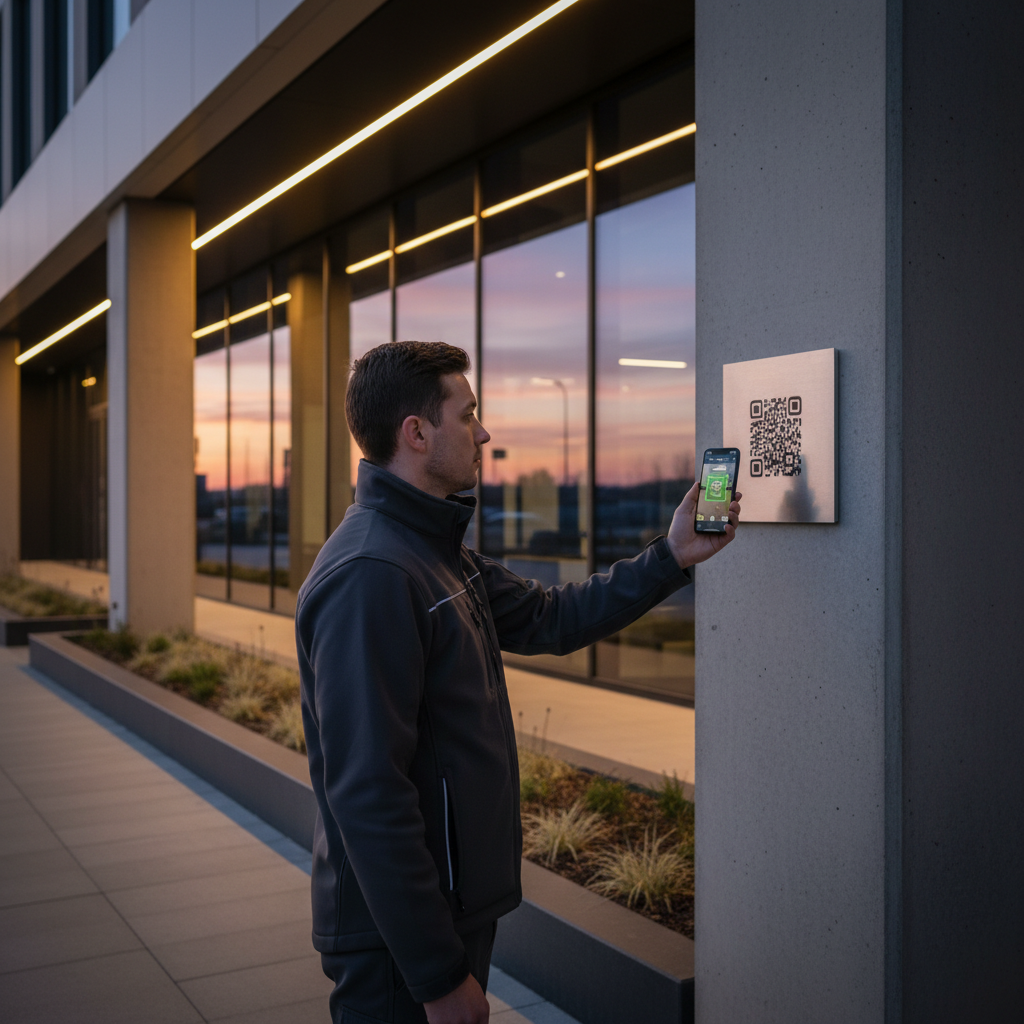
Officers check in from their phones, and GPS-based check-ins with live updates help managers stay informed about who is where. See how the time clock app works.
Lone worker safety
Patrol officers often work alone and at night. MonitorGuard's lone worker safety features help protect staff while they are on patrol and give managers confidence that someone is watching out for them.
Guard tours and checkpoints
If your patrols follow set routes and checkpoints, a guard tour system records each stop so you can prove it happened. New to the idea? Read what a guard tour system is.
Incident reporting
Officers can log incidents from the field with incident reporting, so managers and clients hear about problems quickly instead of at the end of the shift.
Compliance
Track hours, breaks, certifications and site-specific requirements automatically with compliance tools. That includes keeping an eye on licence and certificate expiry dates so nothing lapses unnoticed.
Client visibility
Transparent reporting builds trust. A client portal lets you show clients what was delivered, which supports renewals and complaint handling.
What changes when patrols go digital?
|
Task |
Manual way |
With MonitorGuard |
|---|---|---|
|
Rotas |
Spreadsheets and phone calls |
Shifts assigned and changed in one system |
|
Attendance |
Officers phone in, paper logs |
Check-ins from the mobile app |
|
Lone working |
Rely on scheduled calls |
Lone worker safety features |
|
Compliance |
Folders and reminders |
Automatic tracking of hours and certifications |
|
Incidents |
Written up after the shift |
Reported from the field |
|
Client proof |
Emails and ad-hoc reports |
Transparent reporting |
An example: one overnight shift
Imagine a patrol company with 15 officers covering 40 sites overnight. At 1am an officer calls in sick. Without a system, the duty manager rings round, updates a spreadsheet and hopes the new cover knows the route. With a digital rota, the manager sees who is available, reassigns the sites and sends the change to the officer's phone, and the client's records stay accurate.
This is an illustrative example, not a customer case study.
Is this right for your business?
MonitorGuard suits mobile patrol companies of different sizes, from a small team to multi-site operations. It is also used by cleaning, facilities management and other shift-based businesses. If you manage guards across several locations, explore our security industry solutions and the mobile and web app.
How do you get started?
- List your officers, sites and routes.
- Set up your rotas and the access each manager needs.
- Roll out the mobile app to one team first.
- Turn on check-ins, lone worker safety and incident reporting.
- Review weekly and adjust patrol plans using the reports.
Frequently asked questions
What is mobile patrol management software?
It is software that helps security companies schedule patrol officers, record check-ins, support lone workers and keep compliance records for teams that move between sites.
How can I track patrol officers without constant phone calls?
Use a system where officers check in through a mobile app. GPS-based check-ins and live updates let managers see activity without calling each officer.
Does MonitorGuard include lone worker safety?
Yes. MonitorGuard includes lone worker safety features designed to protect staff working alone while on patrol.
Can MonitorGuard help with compliance?
Yes. It tracks hours, breaks, certifications and site-specific requirements, which reduces the risk of missed checks and out-of-date records.
Is MonitorGuard suitable for small patrol companies?
Yes. It works for small teams and scales to multiple locations as you grow.
How do I try MonitorGuard?
You can book a demo or try it for free using the links below.
Conclusion
Mobile patrol teams need clear schedules, reliable check-ins, safety support and proof of service. Moving from calls and paper to a digital system gives managers a live view of the team, gives officers better support, and gives clients the evidence they expect.
Ready to see how it works for your patrol team? Book a demo or try MonitorGuard for free.